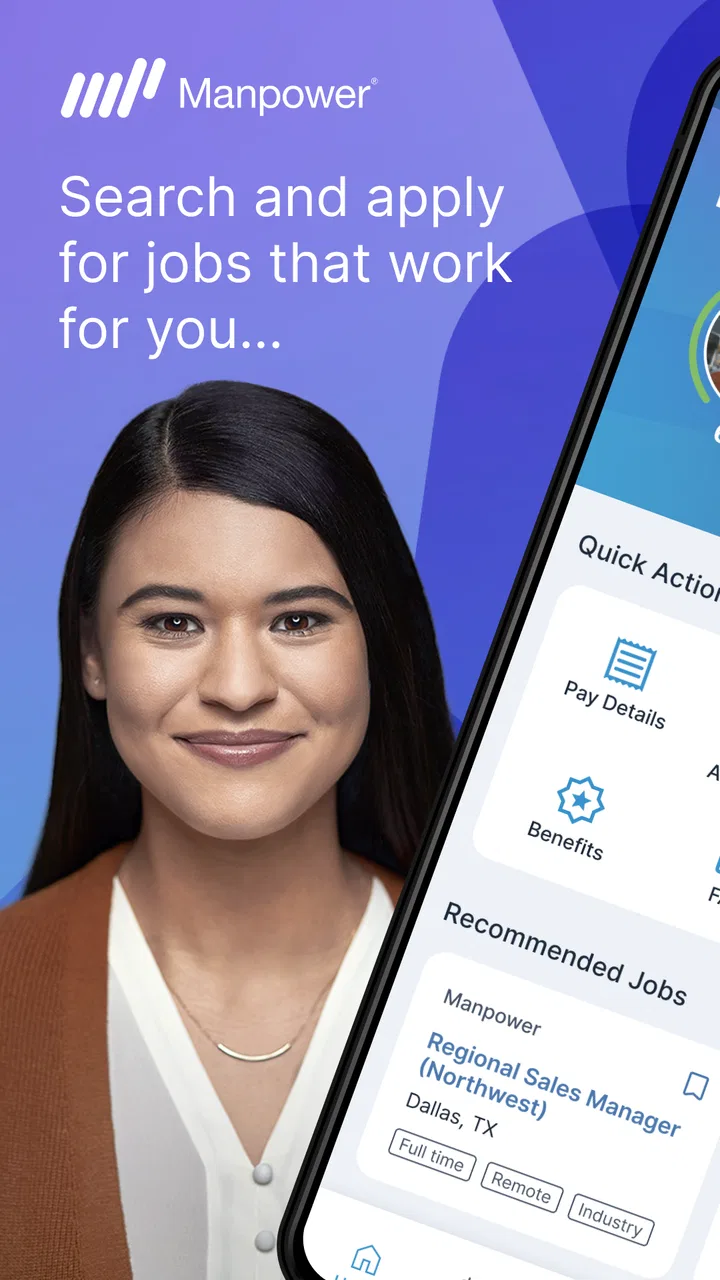
My Manpower – Job Search
- 3.3
- Rating
- 500.00K
- Installs
- Free
- Price

 Analysis by App-foxy
I approached My Manpower as a practical work app rather than another general job board. It comes from Manpower Mobile, sits in the Business category, and is free to use. Its short store description, “My Manpower,” is simple, but the real question is whether the app makes career-related tasks easier for people with different reading, movement, attention, and scheduling needs. My experience is that it can be useful when your job search is already connected to Manpower, especially if you want a mobile place to check opportunities and manage career-related activity. It is less convincing as a universal replacement for every job-search service.
The app’s wider reach is clear from its presence on Android, its Everyone content rating, and more than 500 thousand installs. That does not automatically make it accessible to every person, but it does suggest that it is intended for a broad audience rather than a specialist professional group. I tested it with an inclusive question in mind: can someone with limited time, a smaller screen, different reading preferences, or difficulty with precise touch gestures use it without unnecessary effort?
How My Manpower feels to navigate and read
The first impression is that My Manpower is built around a direct career workflow. That matters because job-search apps can become tiring when the screen is crowded with promotional panels, unrelated recommendations, and repeated forms. Here, the practical value is strongest when I treat the app as a focused doorway into Manpower’s employment ecosystem instead of expecting it to behave like a broad social network or a full career-planning suite.
You May Also Like

 Blood Strike: 2.5 Anniversary
Blood Strike’s Loadouts Turn Every Drop Into a Tactical Gamble
A close look at Blood Strike’s custom loadouts: how fast access to signature weapons reshapes its battle royale rhythm, rewards preparation, and narrows the gap between fights.

 Pandora - Music & Podcasts
Pandora’s Music Is Easy to Start, but Harder to Recover
Pandora’s strength is its low-effort path from a seed to a station. Its weak spot is how much confidence it asks you to place in connection, setup, and quiet recovery.

 8 Ball Pool
 Is Built on Rivalries, Rematches, and Routine
A close look at the rivalries, rematches, shared routines, and unanswered safety questions that turn a quick pool match into a persistent mobile community.

 Samsung Music
’s Quiet Strength Is Playing What You Already Own
Its reach comes less from spectacle than from dependable access to a personal library. That simplicity is both the app’s strongest retention engine and its ceiling.

 AccuWeather: Weather Radar
AccuWeather Review: A Quick, Clear Forecast for Everyday Decisions
For everyday plans, the best forecast is the one you can understand quickly. AccuWeather makes rain timing, radar, and local conditions easy to act on, with a few trade-offs.

 Hill Climb Racing
Why Hill Climb Racing Still Turns Crashes Into One More Run
A tiny car, a bumpy hill and one more upgrade: Hill Climb Racing keeps resurfacing because its simple chaos makes every near-miss feel personal.
More From Our News Desk



On a phone, readability is not only about whether text is technically visible. It is also about how quickly I can identify the next useful action. A person searching between shifts may have only a few minutes, while someone with dyslexia, reduced concentration, or limited familiarity with employment apps may need a clear visual order. My Manpower is most helpful when I use it in short sessions: open it, review the relevant career information, decide what needs attention, and leave. That focused habit reduces the mental load of keeping several browser tabs and email threads organized.
The app’s current version is 7.3.1, and that is worth noting because mobile career services often change their navigation as recruitment processes evolve. I would keep the app updated through the normal app-store process. Updates can affect the location of controls, so anyone who relies on a carefully learned routine should take a moment to recheck the main screens after an update rather than assuming every button is exactly where it was before.
I also found that the app should be judged differently from a conventional résumé editor. Its strongest purpose is connected activity around Manpower, not necessarily the complete creation of a polished professional identity from scratch. If you need extensive formatting, detailed portfolio presentation, or long-form editing, I would prepare those materials in a tool designed for writing and document work, then use My Manpower for the employment steps it handles best.
Small-screen reading is a real test
People often review a job app on a large, modern phone and forget that many users work with older devices, display magnification, or large system text. I recommend trying the app with your preferred display size before depending on it for an urgent application. Enlarged text can improve comfort, but it may also change how much information fits on a screen. The practical trade-off is simple: larger text is usually easier to read, while smaller text may reduce scrolling. I would choose legibility first, especially for job titles, locations, dates, and instructions that are easy to misread.
For users with color-vision differences, I would avoid relying on color alone when deciding whether something is important. The safest personal workflow is to read the surrounding wording and confirm the action rather than treating a color change as the entire message. This is also useful for anyone viewing the screen in bright sunlight, where contrast and subtle visual differences can become harder to notice.
Screen readers and magnification tools can make a large difference for blind and low-vision users, but the experience may depend on how each screen exposes its labels and controls. I would test the most important task immediately: can you move through the page in a sensible order, identify each control, and understand what happens after activating it? If the answer is no, the browser version or direct assistance from Manpower may be a better route for that specific task.
Touch, movement, and precision
Mobile recruitment workflows can be frustrating for people with tremors, restricted hand movement, or difficulty holding a phone steady. Even a simple tap becomes a problem if a control is small, close to another control, or placed where the hand naturally covers the screen. My advice is to use the app with the phone resting on a stable surface when completing important steps. That sounds basic, but it reduces accidental taps and makes reading longer instructions less tiring.
Voice control, switch access, and other operating-system tools may help users who cannot comfortably perform repeated taps or swipes. I would not assume that every part of the app responds equally well to those tools. Instead, test the path you actually need, such as opening a relevant opportunity, reviewing its details, and completing the next action. A general accessibility setting can improve the phone overall, but it cannot repair a confusing app sequence or a control that has not been exposed clearly to assistive technology.
There is also a hidden time cost in repeated data entry. Anyone with motor fatigue, chronic pain, or limited dexterity may find it harder to type the same personal information several times. My Manpower is more manageable when I prepare commonly needed details in an accessible note or password manager and use the phone’s built-in text tools where appropriate. I would still review every field manually, because speed is not useful if an address, availability detail, or contact method is entered incorrectly.
Using the app in different real-life situations
The most realistic scenario for me is a worker checking opportunities during a commute or between responsibilities. In that situation, the app’s value is not just convenience. It gives the user a more contained place to handle career-related activity instead of trying to remember which browser page, message, or email contained the next step. A person with variable working hours can open it when a short window appears, review what matters, and return later without needing a full desk setup.
That same scenario exposes an important limitation: a moving bus, a noisy workplace, poor lighting, or an unreliable connection can make any mobile job workflow harder. For someone with hearing loss, audio-dependent instructions are a concern; for someone with sensory sensitivity, a busy environment can make concentration difficult; for someone with migraines or light sensitivity, a bright screen may be uncomfortable. I would use a quiet, shaded setting for important decisions and avoid rushing through employment information simply because the app is on a phone.
My Manpower may also suit a user who prefers a phone over a desktop because a mobile device is easier to keep nearby. This can be especially useful for people who share a computer, have limited desk access, or manage job searching around childcare and other care duties. The app’s free price removes a direct purchase barrier, although a free app still requires the user to have a compatible device and a workable way to access the internet.
For people who are not confident with digital forms, the best approach is to create a repeatable routine. I would keep personal details consistent, read each instruction aloud or use text-to-speech if that helps, and pause before confirming anything important. A trusted person can assist with reading or typing, but I would keep control of the final review so that the submitted information reflects the user’s own availability and preferences.
Language and workplace familiarity can create another layer of difficulty. Employment terms are not always obvious, particularly for someone new to a country, returning to work after a long break, or applying outside their usual field. My Manpower can be a useful starting point for engaging with Manpower, but it should not be treated as a substitute for asking a recruiter to explain an unclear requirement. If a job description, schedule, or next step is ambiguous, requesting clarification is safer than guessing from a short mobile screen.
Where it fits beside ordinary alternatives
I would compare My Manpower with three familiar alternatives: a mobile browser, a general job board, and direct contact with a recruiter. A browser is more flexible and may work better with desktop-style accessibility tools, saved bookmarks, translation tools, or larger screens. A general job board usually offers a wider mix of employers and industries. Direct contact is slower to organize but can be better when a person needs an explanation, an adjustment, or help with an unusual situation.
The app’s advantage is focus. If you are already looking for work through Manpower, a dedicated app can feel less scattered than searching across unrelated services. It may also reduce the need to remember a complicated web path each time you want to check your career activity. The trade-off is scope: someone seeking opportunities from many agencies may prefer a general job-search service, while someone who needs intensive document editing may prefer a browser and a full keyboard.
I would not install it expecting a complete replacement for every employment tool. It is better understood as one part of a job-search workflow. Use a writing app for résumé polishing, a calendar for interviews and availability, and a secure password tool for account details. Then use My Manpower where its Manpower-specific role is most relevant. This division of labor is more efficient than forcing one mobile app to handle every career task.
Barriers that still matter
The biggest accessibility concern is not necessarily one dramatic flaw; it is the uncertainty that appears when a user depends on assistive technology for a high-stakes task. A person may be able to open the app but still struggle with a particular form, unlabeled control, time-sensitive step, or confirmation screen. That is why I recommend testing the exact workflow before an application deadline. A quick casual visit is not enough evidence that the whole process will be comfortable.
Another barrier is the difference between technical access and practical access. The Everyone rating makes the app broadly age-appropriate, but it does not promise that every person will find the interface equally easy. Someone with low digital confidence may need clearer guidance than an experienced smartphone user. Someone with cognitive fatigue may need to complete the process in stages. Someone using magnification may need more scrolling. These are not reasons to dismiss the app, but they are reasons to plan the workflow rather than improvise under pressure.
Privacy and confidence also affect accessibility. Job seekers may hesitate to ask for help because employment information feels personal. I would avoid entering sensitive details while surrounded by strangers, and I would be selective about who assists with the phone. If another person helps with navigation, let them describe the screen and actions rather than taking over the entire account. That preserves independence and makes it easier to notice an incorrect entry.
There is a further trade-off between convenience and verification. A mobile app encourages quick actions, but job applications deserve deliberate checking. I recommend reviewing names, contact details, work preferences, and availability before confirming anything. This is particularly important for users with reading difficulties or motor challenges, because correcting an error later may require more effort than preventing it at the start.
If the app becomes difficult to use, I would switch methods instead of repeatedly fighting the interface. Try a larger screen, the phone’s accessibility settings, a browser, or direct help from Manpower. A different route is not a failure. For some users, the most inclusive choice is the one that allows accurate completion with the least stress, even if it is not the app itself.
My inclusive verdict
My Manpower is a sensible free business app for people who want a mobile connection to Manpower’s career services. The developer, Manpower Mobile, has positioned it for a broad audience, and its reach of over 500 thousand installs shows that it is not an obscure experiment. Its average rating of 3.8 from around 2.7 thousand ratings suggests a generally useful but not universally smooth experience. I read that combination as a reason to try it with realistic expectations rather than as proof that it will suit every job seeker.
I would recommend it to someone already working with Manpower, someone who prefers handling employment tasks on a phone, or someone who needs a focused way to return to career activity during short breaks. I would be more cautious for a user who needs highly reliable screen-reader navigation, extensive résumé editing, broad multi-agency searching, or personal assistance throughout every step. In those cases, a browser, a larger device, or direct recruiter support may be the better primary option.
The most useful way to approach the app is to make it part of an accessible routine: enlarge text until it is comfortable, test assistive controls on the real task, use a stable surface for precise tapping, prepare information before typing, and keep an alternative route available. Those steps do more than make the app easier to use; they reduce mistakes when the job search is already demanding.
With its current version, 7.3.1, My Manpower feels worth trying when Manpower is the employment channel you actually need. I would not call it a universal answer to inclusive job searching, but I can see its value as a focused mobile companion. My recommendation is to use it for convenience, not dependence: let it simplify the parts it handles well, and switch to a browser or human support whenever accessibility, clarity, or accuracy becomes more important than speed.
FAQs for My Manpower – Job Search
01What features does My Manpower – Job Search offer?
My Manpower – Job Search provides a comprehensive platform for job seekers, featuring a user-friendly interface to browse job listings, apply directly through the app, and track application statuses. Users can also set up personalized job alerts, access career advice, and utilize the app's resume-building tools to enhance their job search experience.
02Is My Manpower – Job Search free to use?
Yes, the My Manpower – Job Search app is free to download and use. While the core functionality of job searching and application tracking is available at no cost, there may be optional premium features or services that require payment. These might include advanced career coaching or personalized resume reviews.
03How does My Manpower – Job Search ensure job listing accuracy?
My Manpower – Job Search partners with reputable companies and verifies job postings to ensure accuracy and authenticity. The app regularly updates its listings, removing outdated or filled positions. Users are encouraged to report any suspicious or inaccurate listings, helping maintain a reliable job search environment.
04Can I apply for jobs directly through the app?
Absolutely, My Manpower – Job Search allows users to apply for jobs directly within the app. Once you have set up your profile and uploaded your resume, you can easily submit applications with just a few taps. The app also lets you track the status of your applications in real time.
05What kind of support does My Manpower – Job Search offer?
My Manpower – Job Search provides robust customer support through various channels, including in-app chat, email, and a comprehensive FAQ section. Users can access these resources for assistance with technical issues, job search advice, or any other queries related to their job search process.
Pros
- User-friendly interface for easy navigation.
- Comprehensive job listings across industries.
- Real-time job alerts for quick updates.
- Customizable profile for personalized job matches.
- In-app resume builder for convenience.
Cons
- Limited to certain geographical locations.
- Occasional app crashes reported by users.
- Some job listings may be outdated.
- Requires constant internet connection.
- In-app ads can be intrusive.

My Manpower – Job Search
Gallery